
See what needs you. Let the next step be clear.
The work is in one tab. The deadline is in another. Your teen says it is done. OneTracker brings the homework picture together so you can see what needs help.
Check the fit first.
For parents of ADHD or autistic teens in grades 6 to 12, in the United States.
Canvas only. OneTracker does not support other school systems today.
Find the work before it slips.
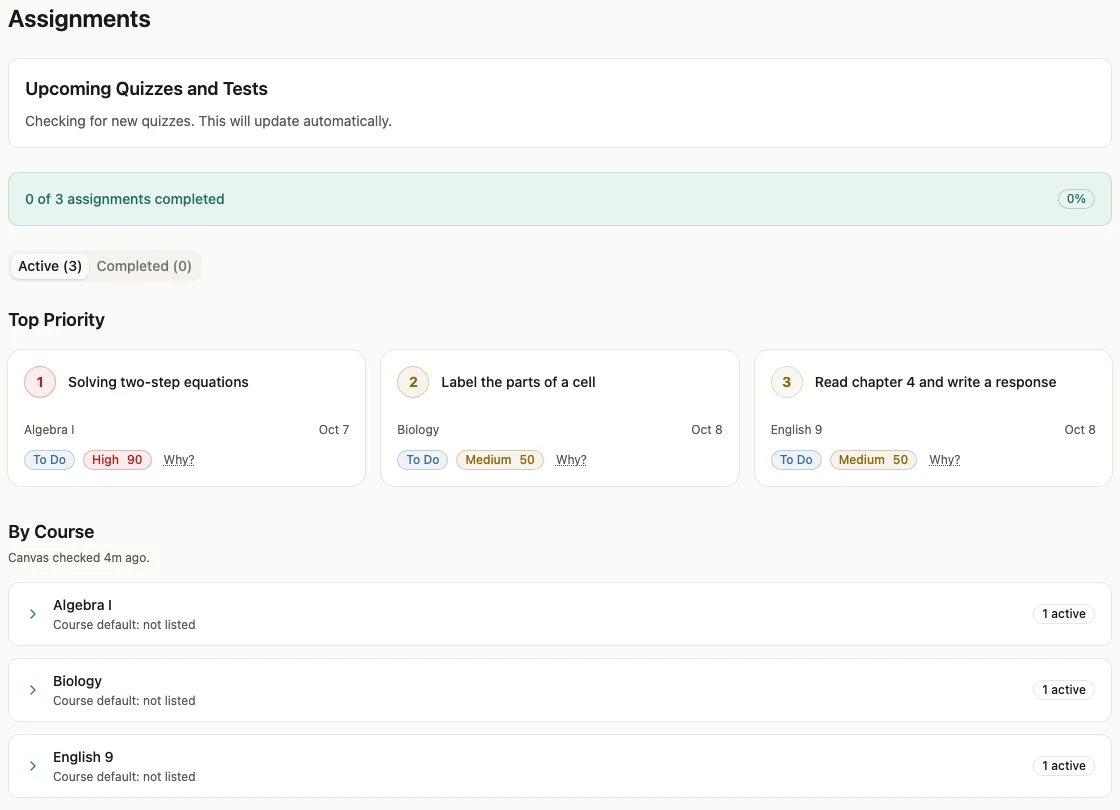
OneTracker brings in your teen’s Canvas assignments, due dates, and turn-in status. The parent dashboard gives you a place to check what is due and what still needs a hand.
Priority scoring helps sort the work. Your teen still does the homework and turns it in. OneTracker helps make the next step easier to see.
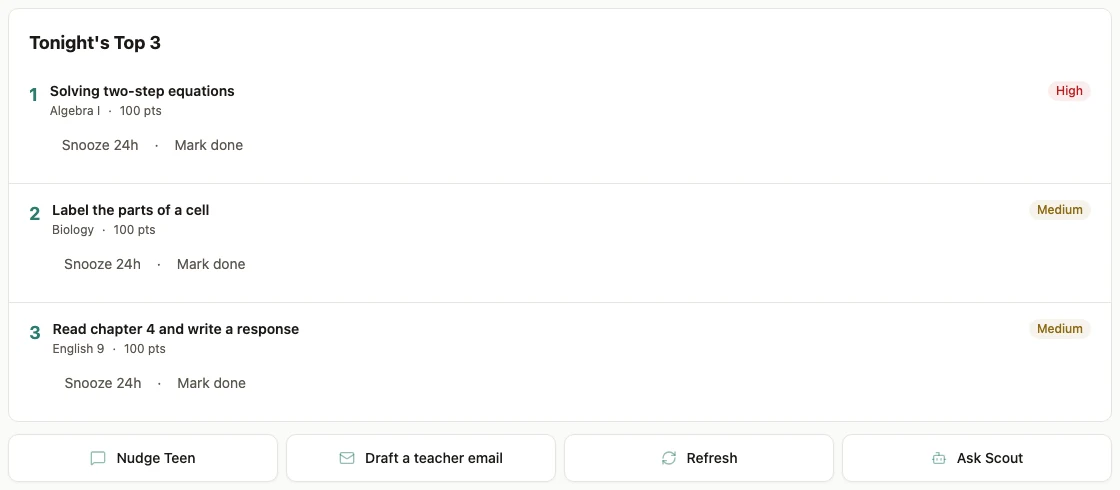
Give tonight a place to start.
See due dates and work status in one list. Pick a next step without asking your teen to build a new planner from scratch.
A teen saying DONE and a school recording a turn-in are different facts. Check the Canvas status when you need to know whether work was submitted.
The cue comes by text.
Choose a homework time in setup. OneTracker sends homework cues to your teen by SMS. They can reply GO, DONE, PAUSE, or STUCK.
The parent uses the dashboard. The teen uses ordinary texts, with no app to install on their phone. A reply records what the teen reports; it does not prove that school work was turned in.
Ask about the work in front of you.
Scout helps the parent make sense of the family’s current homework data. Ask what is due or where to start. Check its answer against the assignment before you act.
Actions need your approval. Scout does not tutor your teen, do the homework, or replace care from a health professional.
Start the teacher email with a draft.
Email Diplomat helps you draft a note to a teacher when work needs a human follow-up. You review it, make any changes, and send it yourself.
You stay in charge of what the teacher receives. A draft is a starting point, not a message sent on your behalf.
Choose help for the problem you have.
These tools can work together. The right mix depends on whether your teen needs help with the subject, the routine, or keeping track of the work.
| Option | What it does | When it fits |
|---|---|---|
| OneTracker | Brings Canvas work, priorities, and homework texts together. | When work gets lost between knowing about it, starting it, and turning it in. |
| Canvas tools | Show school-posted work and status. Parent access depends on the school. | When you want to check the school’s own record of the work. |
| Planner apps | Help organize tasks, dates, and reminders. Features vary by app. | When your teen can keep the plan current and use it day to day. |
| Tutoring | Offers help with subject knowledge and practice. | When your teen needs someone to explain the material. |
| Executive-function coaching | Offers personal help with planning, habits, and follow-through. | When your teen needs a coach to build and practice those skills. |
Set it up yourself, or get help.
The Sprint is optional. You can use OneTracker as a standalone subscription and set it up yourself.
The paid 10-Day Homework Sprint adds one-on-one help with setup and tuning. Choose it when you want Jacob to help get your family’s system running.
More than one child?
For more than one child, contact us about sibling pricing before you buy.